
Loop is EZRA's human-AI coaching product. I led its launch campaign. With a tight deadline and a lot of pivots, I built a system that could flex as fast as the brief did.
- Company
- EZRA (The Adecco Group)
- Role
- Brand Design Lead
- Scope
- Campaign · Motion · Design systems
- Channels
- LinkedIn motion ads, propensity display ads
- Audience
- Senior HR directors with buying power, at selected target accounts
- Year
- 2026
One part of a bigger launch
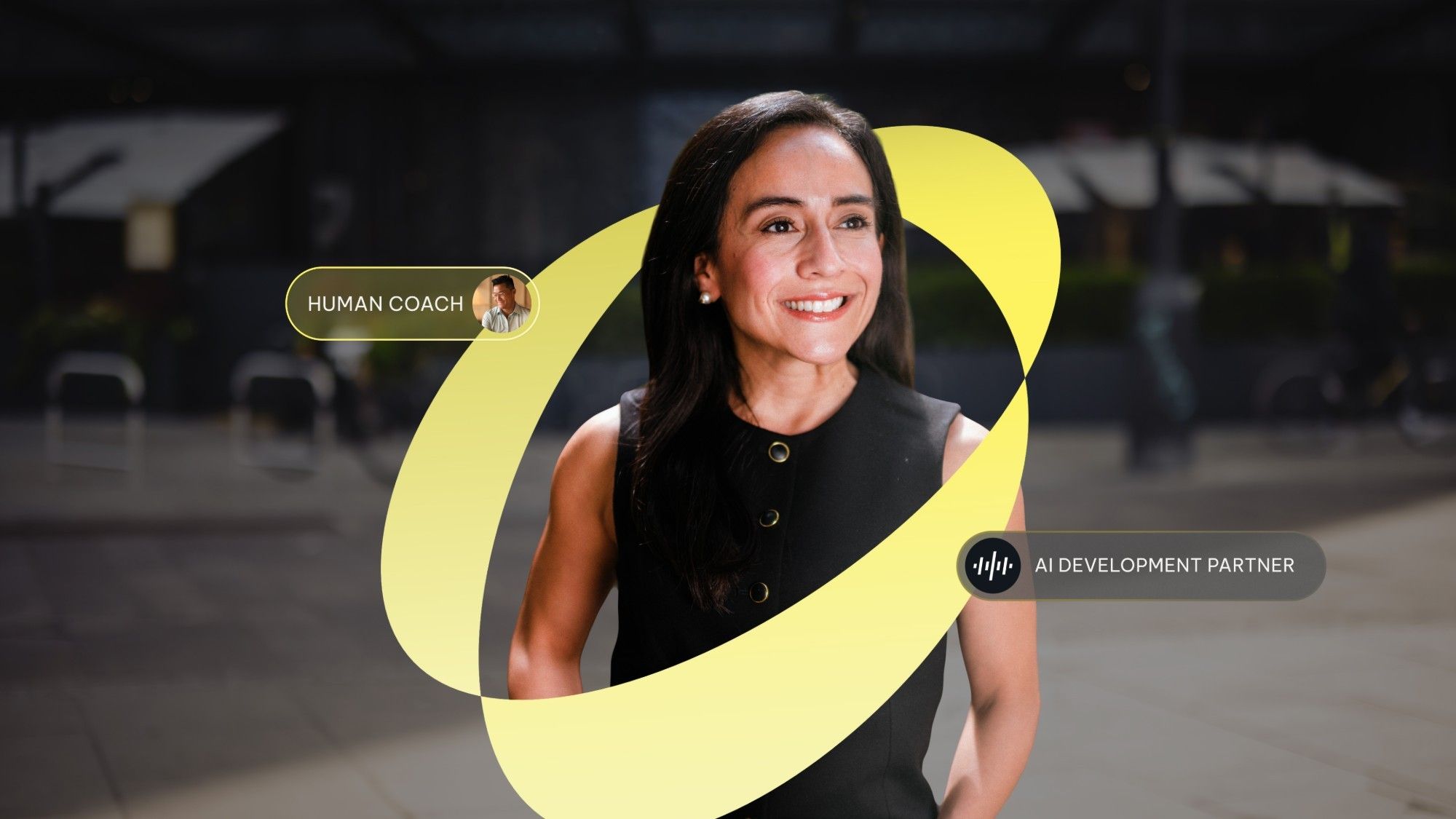
Loop pairs human coaches with AI. We needed senior HR directors at selected target accounts to notice it. My part of the wider launch was the campaign.
Two waves, one look
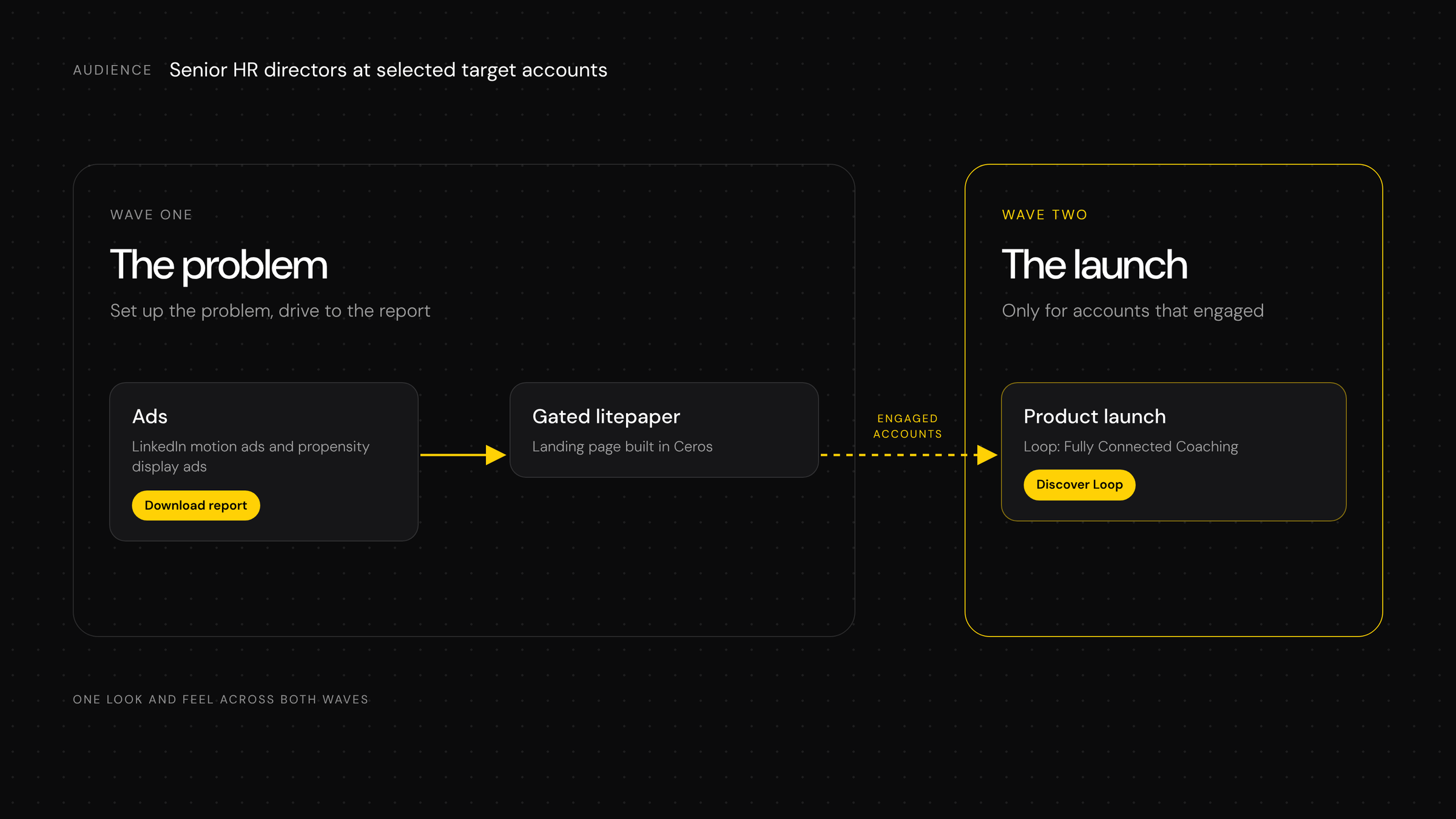
Wave one set up the problem and drove people to a gated litepaper. Accounts that engaged then saw wave two: the launch. The line throughout was "Fully Connected Coaching".
Wave one was meant to be masterbrand and wave two Loop. We flattened that, so it feels like one campaign.
A tight deadline, a lot of pivots
The brief kept moving. We ended up with four messaging pillars that became 24 LinkedIn ads, 36 propensity display ads, plus regional versions, and extra designers joining along the way.
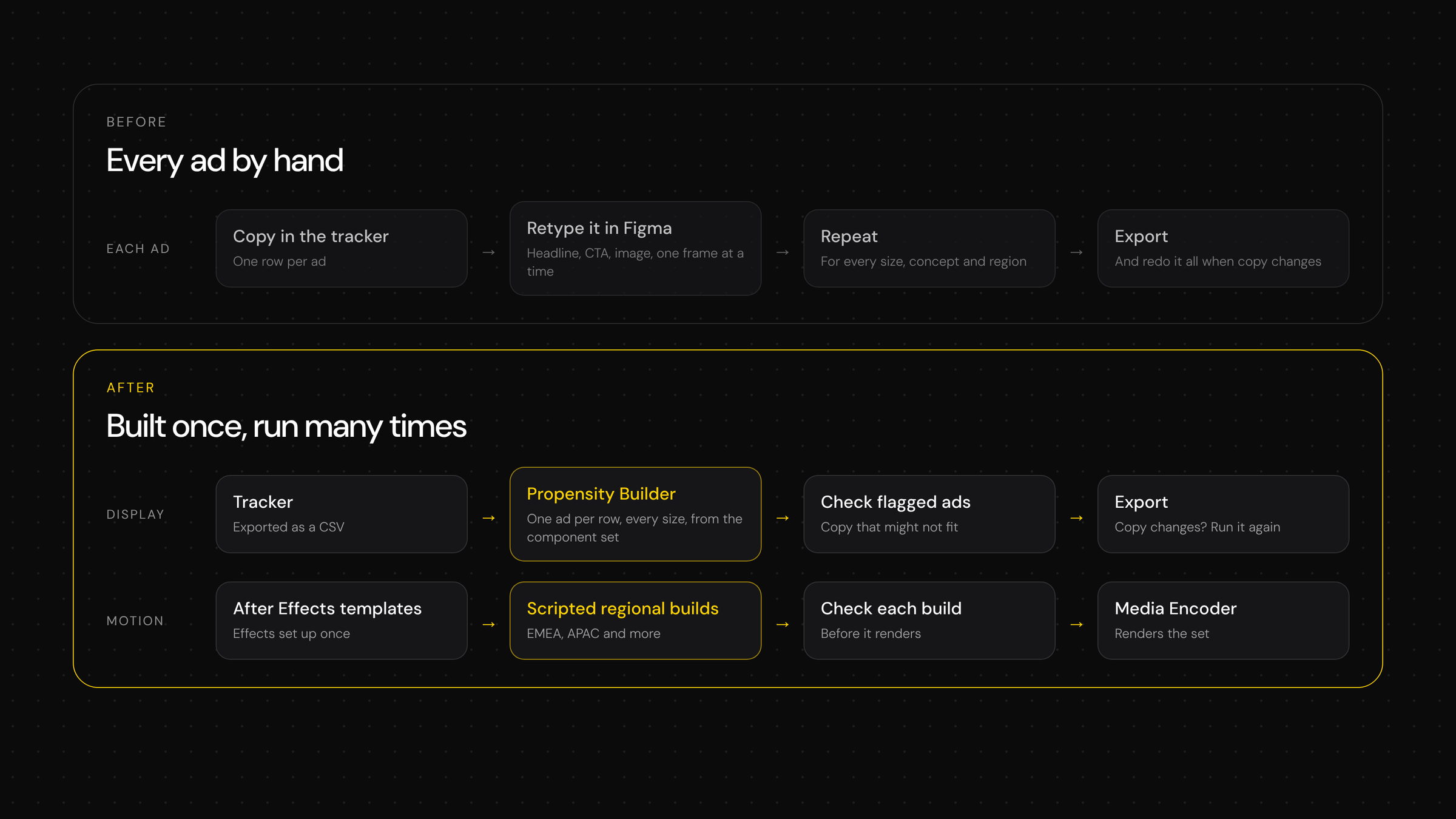
Making every ad by hand wouldn't scale. And nothing could be fixed in stone, because the next pivot was never far off. The system had to flex.
Built once, built to flex
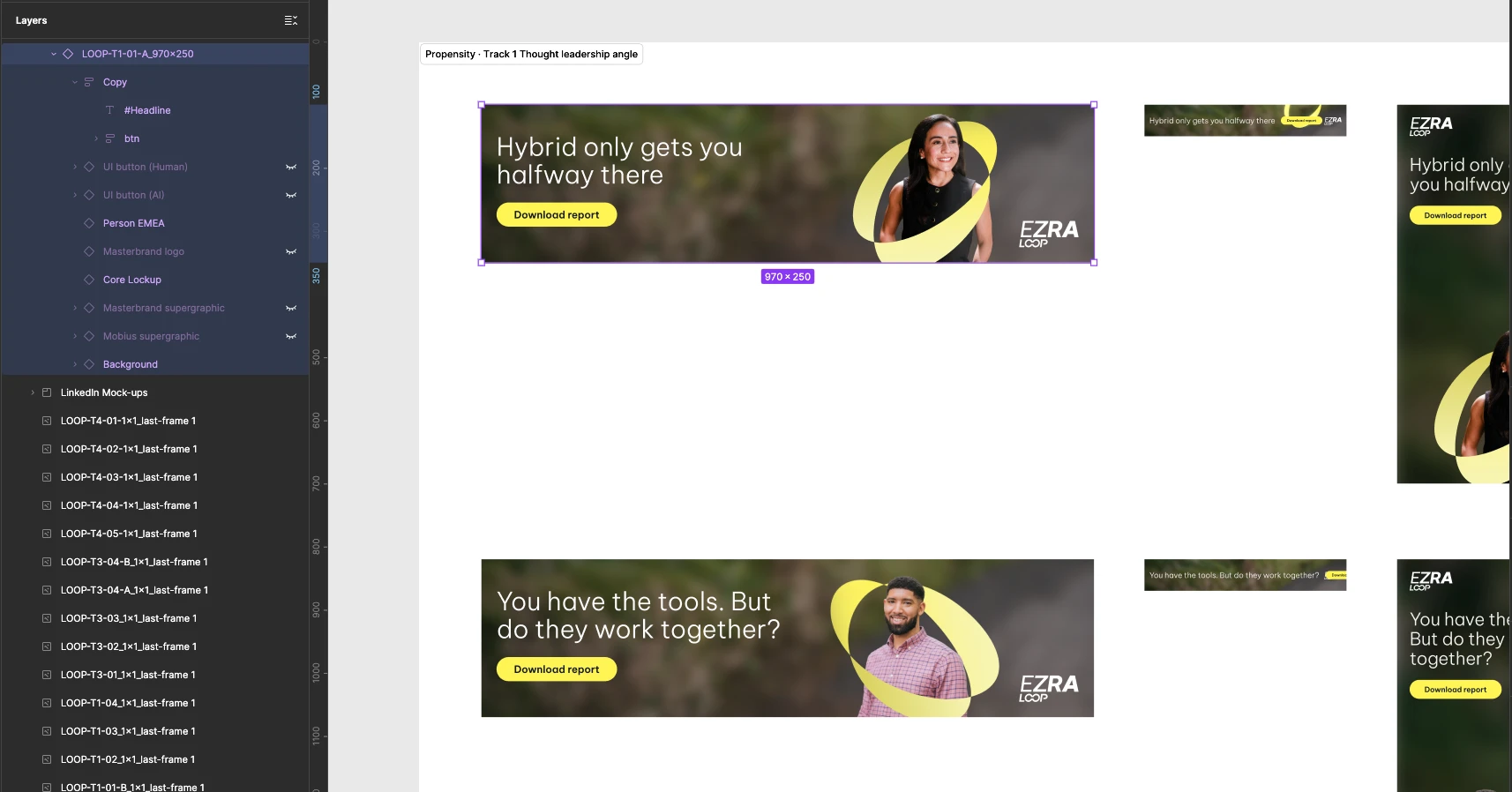
Copy. Every ad lived in one tracker. Propensity Builder, a Figma plugin I built with Claude, reads it as a CSV and builds one ad per row. It fills named layers like #Headline and #CTA, and flags copy that might not fit. When the copy changes, you run it again.
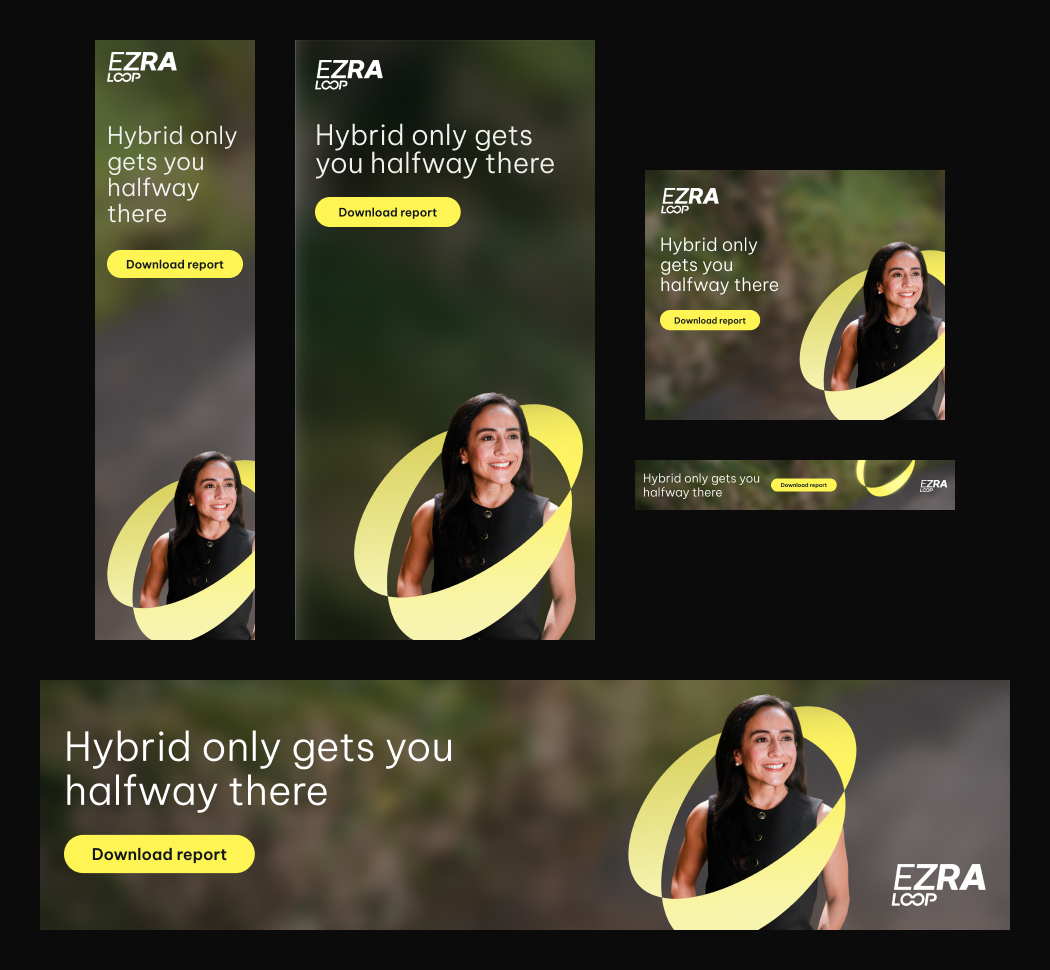
Display. One Figma component set, with Loop and masterbrand variants for the logo and supergraphic.
Motion. I built the After Effects templates once. Then I connected Claude to After Effects through an MCP extension, so it could batch-create comps, batch-change copy and settings, and batch-build every regional version, such as EMEA and APAC. I checked each build before it went to Media Encoder. One instruction replaced a lot of repeat clicking.
Presets. Every headline animation was built with a text animator and saved as an After Effects animation preset. Any title, in any comp or context, animates the same way, so the headlines stay consistent however the work gets reused. It's thinking beyond the one-off ad.
Grid script. A script I wrote that adds columns, rows, gutters and margins to many comps at once. It keeps the layouts consistent across the whole project, and nobody has to duplicate comps or drag guides out by hand.
Built once
- Ad masters, with named layers
- The display component set
- The After Effects templates
- Headline animation presets
- The grid script
Changed per ad
- Copy, from the tracker
- Size and format
- Region, built in batches
The work
Four messaging pillars became 24 LinkedIn ads, and below are examples of the ads, mostly from the same pillar. Then the display set: six propensity ads across six artboard sizes, 36 ads in all. The system could flex up to 120, but we scaled back. The campaign has just launched, so results will follow.